

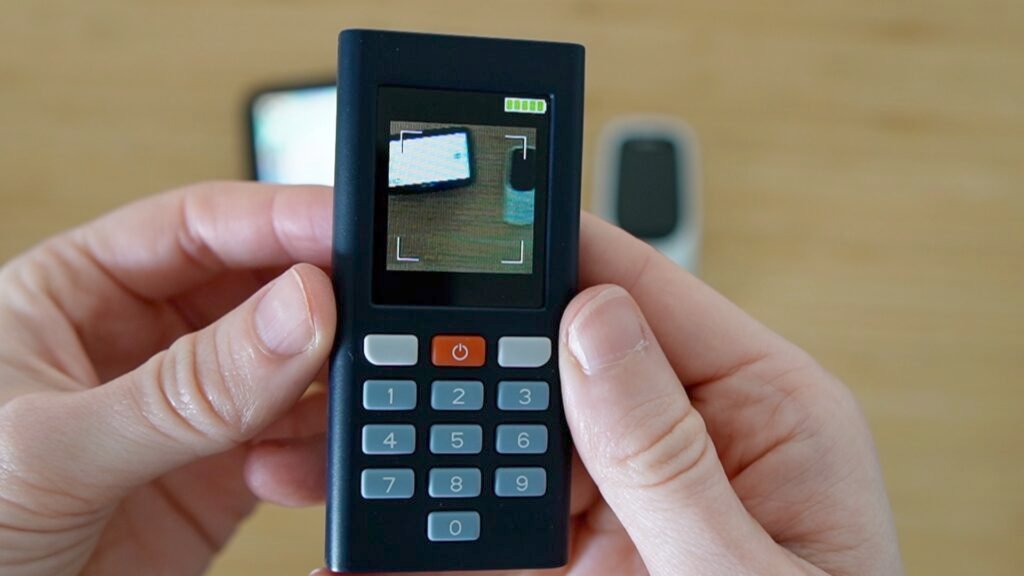
I finally found a way to do bank authentication without a smartphone as a dumb (simple/feature) phone user.
Over the past year, I’ve been interested in finding alternatives to apps in order to reduce my dependence on smart devices. My bank no longer offers SMS verification codes for authenticating a payment or logging in, and their smartphone app is now the default method of two-factor authentication.
Since switching to a simple phone, I had been using the banking app on a smartphone and later on an iPad (kept turned off when not authenticating). Recently, I reached out to my bank to ask whether any non-smartphone authentication options existed, just to see if it was possible.
To my surprise and delight, my bank offered two choices: a smart-card USB reader and a hardware token called a Digipass (the available options will depend on the bank). The banker recommended the Digipass. We had to order it through the bank because it is tied to my account, but at €29 I felt it was a reasonable thing to try.
Once the hardware token arrived, I followed the setup instructions sent to me via snail mail. One of the papers I received contained an activation QR code, and I had to set a PIN code. The Digipass hardware token I am using has a simple camera on the back, a screen, and physical buttons on the front. To authenticate a payment or log in to my bank on my computer, I log in as normal and then choose the Digipass option for 2FA. My bank generates a QR code, I turn on the Digipass device (which immediately activates the camera), scan the QR code, and enter my PIN. The Digipass then generates a one-time passcode, which I enter on my computer.
I’ve been using this device for almost a month now, and I’m very happy with it. There are a few things to consider, though. I have to keep track of it and remember to take it with me when traveling, but it’s small and easy to pack, and I’ve found a designated spot for it at home. Luckily, I only have one European bank account, so I only need one hardware token. If I had multiple accounts, I would need multiple devices, each tied to a specific account. This solution would probably feel unnecessary if I were already using a smartphone or iPad regularly, since I could just use those instead. But in my specific situation, it’s been a wonderful discovery and exactly the solution I was hoping for.
This little device allowed me to reduce my smart devices down to just a laptop and feel less dependent on apps. It’s a good reminder that sometimes great alternatives to smartphone apps exist, they just aren’t advertised (you just have to ask).
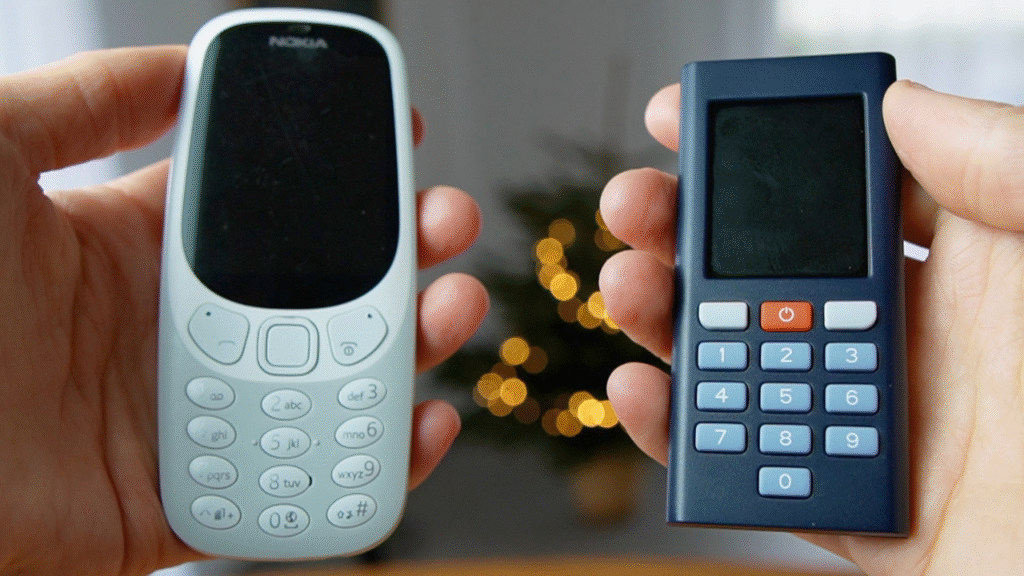
Note: The Digipass was the device that my bank offered, but other banks might offer a variation of this in some form of a hardware token, or other non-smartphone options (including simple SMS 2FA in some countries).